
 Create a Self-Contained Documentation Viewer Exe
We've often been asked to provide offline documentation that can be distributed, similar to the way you could distribute old Html Help Files (CHM) files to users in the past. The CHM format has long been abandoned, and it uses the completely outdated Web Browser Control that fails with most modern Html content, including the Web site content generated from Documentation Builder.
Generating an Offline Documentation Viewer for your Project
However, to address this offline viewer scenario - at least for Windows - Documentation Monster provides the ability to package the generated Documentation Web site into a self-contained, single file executable that you can distribute to your customers.
To do this you can use the Publish your Documentation dialog:
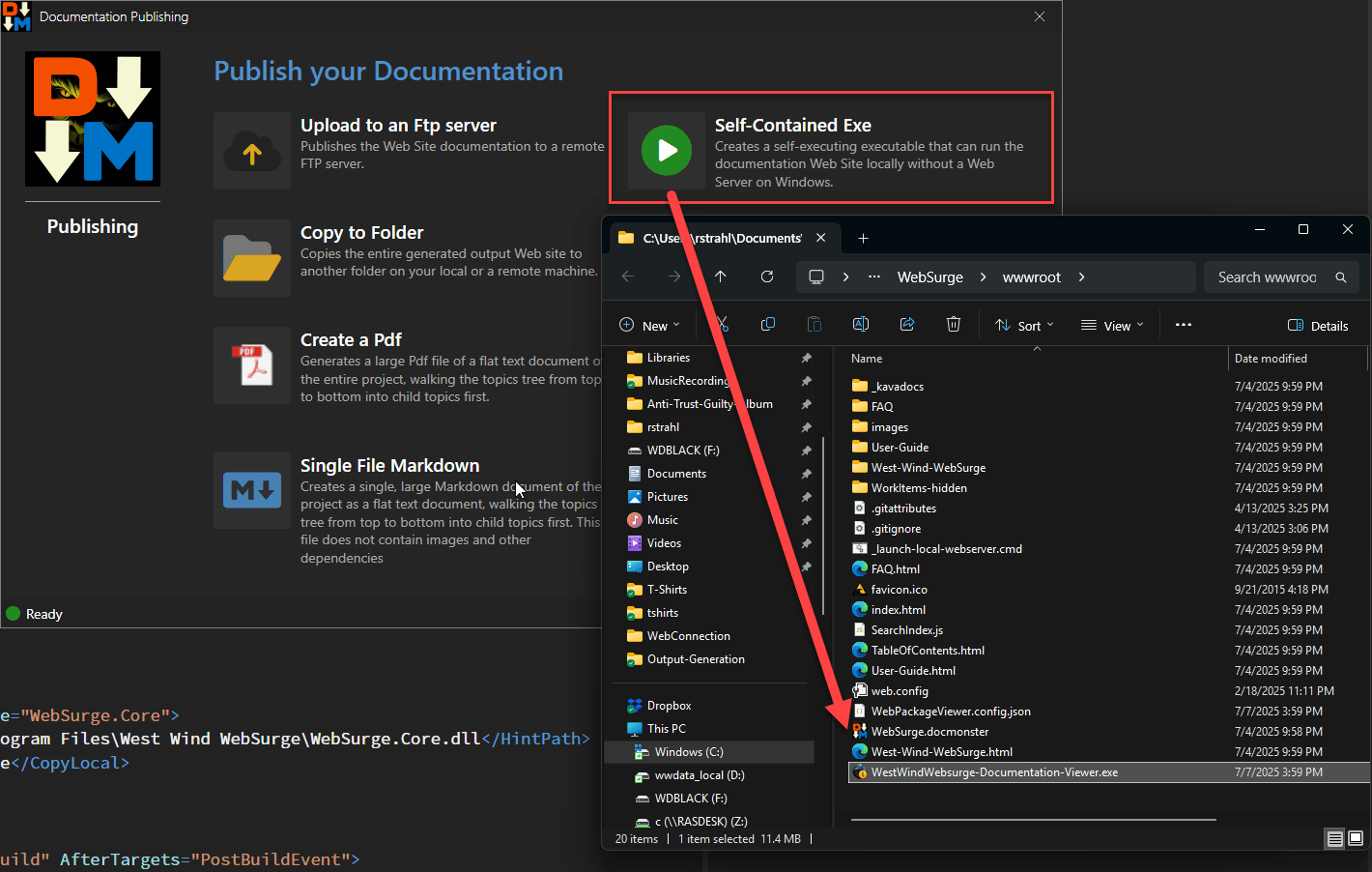
or click the Publish button after you've generated your Web Site output.
Once you select the Self-Contained Exe option, a viewer Exe with the project name plus - Documentation-Viewer.exe is generated into the wwwroot folder of your project.
The Generated Self-Contained Documentation Viewer Exe
Here's what the generated Exe looks like when it's run:
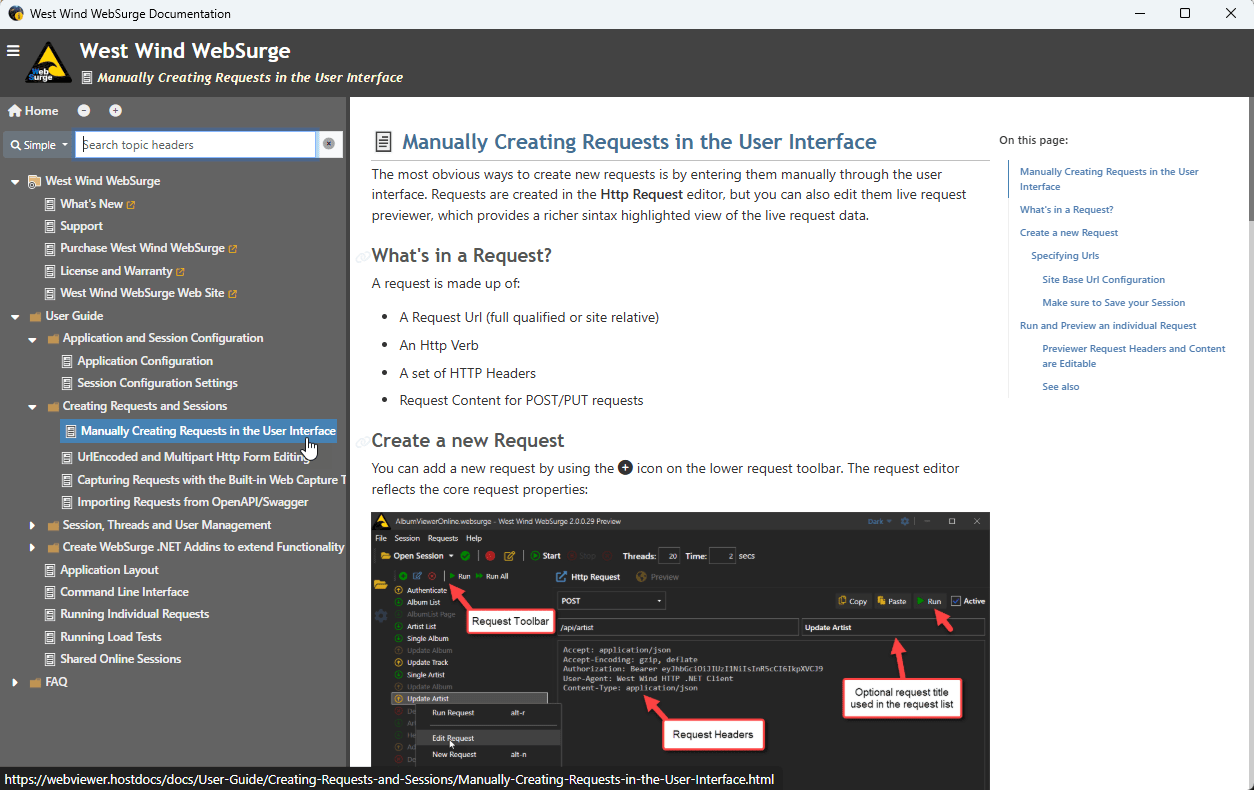
The file basically 'runs' the embedded Web site.
The file can be renamed as you see fit, and can be run from anywhere. All the Web site dependencies are embedded inside of file.
How does this work?
The viewer works by bundling a small executable that uses a WebView control, plus the Web site content packaged as a Zip file into a single file Exe. When the Exe runs, it unpacks the Zip file into a temp folder and then sets up a local virtual Web site in that folder and navigates the built-in WebView control to that virtual folder Url.
This essentially provides the ability to run the Web site without an active Web server simply by processing the unpacked folder files locally.
Requirements
In order to use this Exe you need:
- A recently patched version of Windows 10+
The patch requirement is due to the WebView Runtime requirements that need to be somewhat up to date.
Security
The output generated is essentially a generated EXE file that contains:
- The small EXE that hosts a WebView Control
- The packaged Web Site Html
The Exe runs and unpacks the Html into a temporary folder and then points the WebView at that folder which renders and runs the site.
In order for this to work there are several security concerns:
Windows Defender SmartScreen (Windows Protected your PC Blue Screen)
SmartScreen is a Windows feature that pops up a warning screen for potentially unsafe or - more commonly, unknown and rarely run - Windows executables. This is a reputation based system and since the EXE generated is custom it's likely to get tagged showing the SmartScreen warning. You can get around this by clicking on More Info and Run anyway.Downloaded or Downloaded Zip Exe
Any Windows Executable is affected by MOTW (Mark of the Web) which is a signature applied to files that are downloaded off the Web or unpackaged out of an archive file that was downloaded from the Web. MOTW is almost guaranteed to trigger a Smartscreen popup unless the file's been used by many people and Windows has deemed it 'safe'Windows Temp Folder
In some Enterprise environments creating files - even in the systemTEMPlocation is not allowed and can cause failure which results in a security error that displays in the application.
In short because this is a custom generated EXE file, it is very likely to trigger one of these operations.
Mitigations and Alternatives